
A private trip planner without an account: what stays on your phone?

# A private trip planner without an account: what stays on your phone?
The quiet part of planning a journey often happens after everyone else has gone to bed. You put the train beside the hotel, the museum beside the one free afternoon, and a small note beside the restaurant your friend mentioned in passing. Those details can feel personal even when they are not secret. You may simply want a place for them that does not begin with another sign-up form.
GoRoamIt lets you create and edit a trip without a GoRoamIt account. Its trip records live in the app's local storage on the device you are using. That is a useful kind of simplicity, but it comes with a responsibility worth understanding before the first booking goes in: a local trip is not an automatic cloud backup.
What “without an account” means here
You can open the iPhone or iPad app, create one complete Free trip, and work with its calendar, plans, places, budget, notes and tasks without registering with GoRoamIt. The app does not create a shared workspace for your friends. If you hand someone an itinerary image or PDF, you are giving them a copy they can read; later edits to your trip do not appear in that copy.
A device-centered design does not mean every feature works without a connection. Weather and online place searches need internet access. Opening an external image or link also uses the network. Your saved trip information remains readable offline; live outside information cannot be refreshed when the phone is offline.
A private trip planner without an account is therefore a way to keep your working record on your device. It is not a promise that the device can never contact a service, or that a replacement phone will know your itinerary on its own.
The moment to make a backup is before you need one
Imagine replacing a phone the day before departure. You might be able to restore an App Store purchase, but that restores paid access, not the hotel notes and plans stored on the old device. The same distinction matters if you delete the app or lose the phone.
In GoRoamIt, open App Settings → Trip files → Export encrypted trip file (.json). Choose a password you can keep safe, save the file somewhere separate from the phone, then open the import preview to confirm that the file can be read. The encrypted file contains all retained trips, including private details and attachments; it is a personal backup, not a tidy single-trip handout for a group chat. A forgotten file password cannot be recovered by GoRoamIt.
When importing, examine the preview before confirming. The usual Add recovery copies action adds independent copies of trips; it does not overwrite or merge existing trips. Importing the same file twice creates more copies. If the Free plan's one editable-trip limit affects an import, pause and read the choices on screen before replacing anything. The trip-file guide explains the difference between the site's blank JSON template and an encrypted personal export.
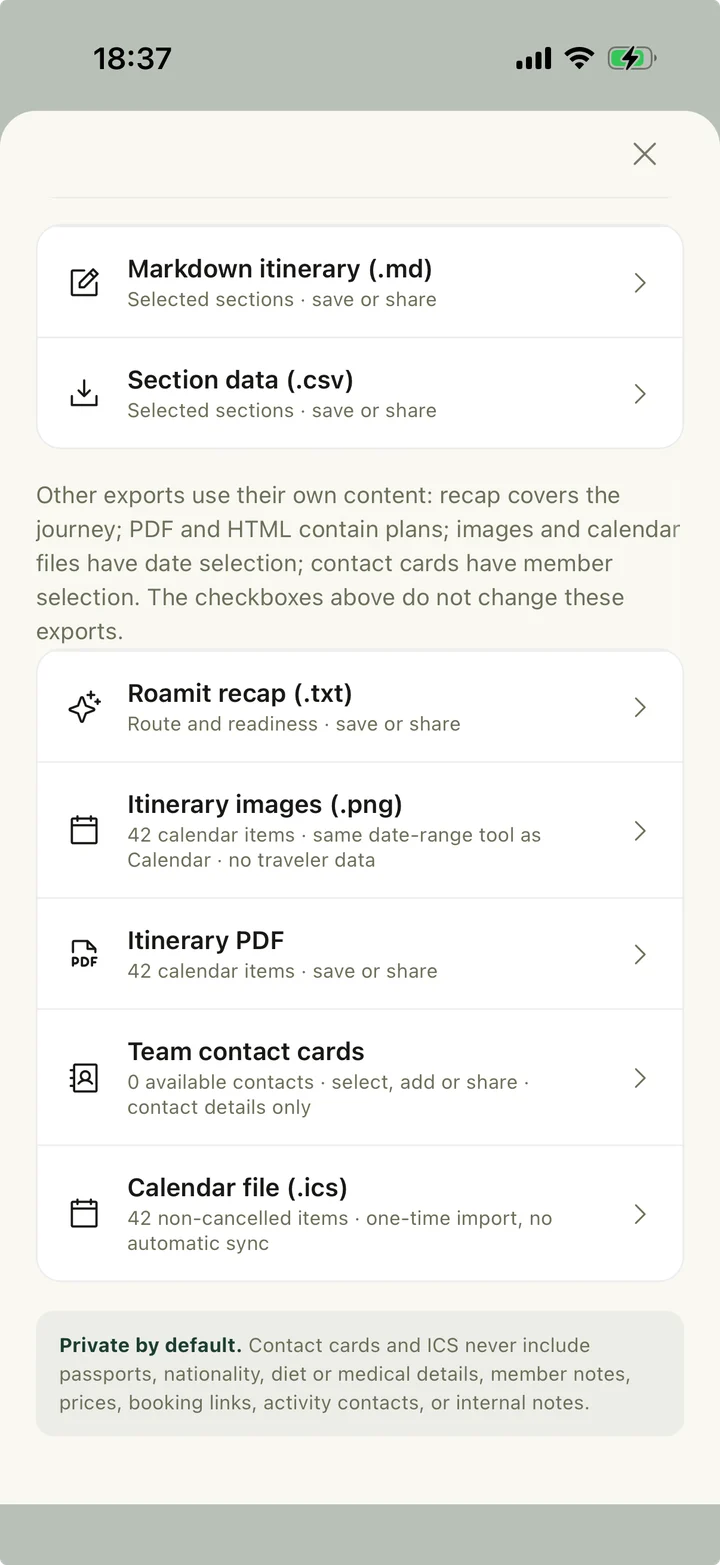
Share a plan without handing over its private archive
For a friend who only wants to know where to meet, export an itinerary image or PDF instead. Read the finished file as that friend would: can they find the date and meeting place, and have you accidentally included a private note in a title? A snapshot may be exactly what the group needs, provided you send a new one when plans change. Our itinerary sharing guide walks through the formats.
Privacy often looks less like a dramatic setting and more like a habit: keep the master trip where you work, keep a tested backup elsewhere, and share only the copy another person needs. Then the little details of a journey can stay yours until you choose to pass them along.
Questions travelers ask
Do I need a GoRoamIt account to plan a trip? No. You can create one complete Free trip without a GoRoamIt login.
Will a new phone automatically show my trips? No. Trip records do not automatically sync between devices. Keep an encrypted export and its password if you may need to move them.
Does restoring a purchase restore trip files? No. Apple purchase restoration concerns paid access; it does not recreate locally stored journeys.
Can I send the encrypted JSON file to friends as an itinerary? It is a full private backup. Send a reviewed image or PDF for ordinary itinerary sharing.
Download GoRoamIt for iPhone or iPad from the App Store. The separately purchased Trip Edition PWA has its own license and installation process; an App Store purchase does not unlock it.